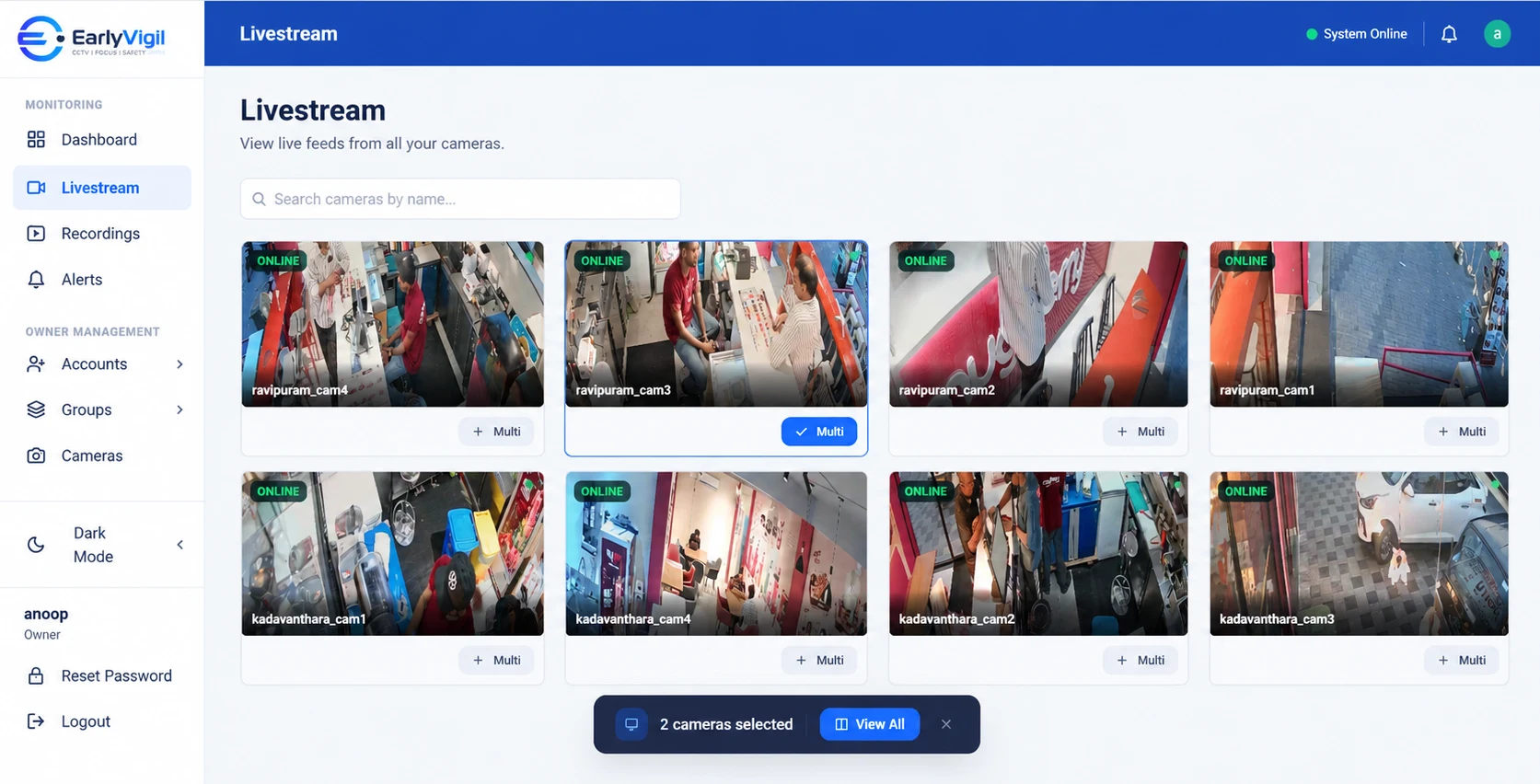
The third branch is manageable. The tenth is where the cracks appear. Monitoring that worked when you could visit every site on foot starts to strain once you cannot. The best time to fix that is before the next opening, not after.
- Monitoring needs to scale across three things at once: cameras, locations and people.
- Standardise before you scale: naming, coverage and access rules are much easier to set at five branches than at fifty.
- Ask how long a new location takes to add, and who does the work.
- Pricing that is clear per camera or per site makes budgeting for growth easier.
What changes as you grow
A small business can run on instinct and personal visits. As you add locations, three things change at the same time:
- More cameras. Every new site brings its own cameras, and the total number quickly outgrows what anyone can scan by eye.
- More locations. You can no longer pop by. Information that used to arrive by being there now arrives by phone, if at all.
- More people. Area managers, site leads, operations staff, perhaps franchise partners. Each needs different access.
Five questions to ask before the next opening
1. How long does a new location take to add?
If the answer is “a few weeks and a site visit by an engineer”, your growth plan has a bottleneck. If the answer is “connect the cameras and add the site to a group”, you can open on schedule.
2. Can I use equipment I already own?
Standardising on one camera model sounds tidy, but it is not always practical. A platform that works across mixed equipment lets you choose what suits each site. Compatibility is confirmed per model and configuration.
3. How are people and permissions handled?
You want to add a new manager in a minute, give them access to their own site, and remove it just as quickly. Shared passwords do not scale.
4. What happens to cost as I add cameras?
Ask for pricing that is clear per camera or per location, including any storage or backup, so a new branch does not bring a surprise.
5. Who supports me when something breaks?
The more branches you have, the more often something somewhere is going to need attention. Check how you reach support and how quickly you can expect an answer.
Standardise early
The cheapest moment to fix inconsistency is before it spreads. A short internal standard saves a lot of rework later:
- Minimum coverage. For example: entrance, billing counter, stock room and rear exit in every branch.
- Camera naming. A pattern such as “Branch – Area – Number” that anyone can read.
- Access roles. Define owner, regional manager and site lead permissions once and reuse them.
- Review rhythm. Who checks what, and how often.
What this looks like at 3, 10 and 25 locations
| Stage | What usually breaks | What helps |
|---|---|---|
| Around 3 sites | The owner still visits, but time is stretched and each site has its own system. | Connect existing cameras and agree naming and coverage now. |
| Around 10 sites | Managers become the only source of information. Standards drift between branches. | Region and branch grouping, per-person access, regular remote reviews. |
| 25 or more sites | Nobody can see everything. Support and onboarding become a bottleneck. | A repeatable onboarding process, alerts that point to sites needing attention, and a provider that can keep up. |
Mistakes to avoid while expanding
- Treating CCTV as a last-minute fit-out item. Decide camera positions and internet requirements during planning, not the week before opening.
- Letting each new branch choose its own installer. You can still use local installers, but give them your standard.
- Forgetting the people side. More locations mean more users. Set a rule for adding and removing access.
- Assuming it will be fine. If you cannot say today how long a new branch will take to connect, ask.
A growth-ready checklist
| Area | Ready for growth if… |
|---|---|
| Locations | New sites can be added without replacing what you already have. |
| Cameras | You can find any camera quickly, even when you have hundreds. |
| People | Access is per person and per location, and is easy to change. |
| Reliability | You know when a camera or recorder stops working, and footage can be preserved where supported. |
| Support | You have a named contact and a way to reach them quickly. |
| Cost | You can estimate the cost of the next five branches today. |
Grow the monitoring with the business
EarlyVigil is built for businesses that are adding locations: one dashboard for every site, access limited to each person’s locations, and support from a team that helps with setup. If you are planning your next few openings, talk to us early so monitoring is ready on day one.
Frequently asked questions
How many cameras or branches can one dashboard handle?
It depends on the platform and your plan. Ask your provider about limits and how the platform behaves as the number of sites and cameras grows.
Should I standardise on one camera brand?
It can simplify support, but it is not required. A platform that works with mixed equipment gives you flexibility. Compatibility is confirmed per model.
When should I think about monitoring for a new branch?
Before fit-out. Deciding camera placement, internet requirements and access rules early is cheaper than fixing them after opening.
See it with your own locations in mind
Book a short walkthrough, or call us on +91 73564 25444.
This article is general information for business owners. Features, camera compatibility and cloud backup depend on your model, configuration and plan. EarlyVigil provides information for people to review; decisions stay with your managers.